

Accessing individual SEMI Standards for the first time?
Click to view the walkthrough guide here.
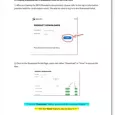
Test whether FileOpen plug-in is installed correctly - Sample Document
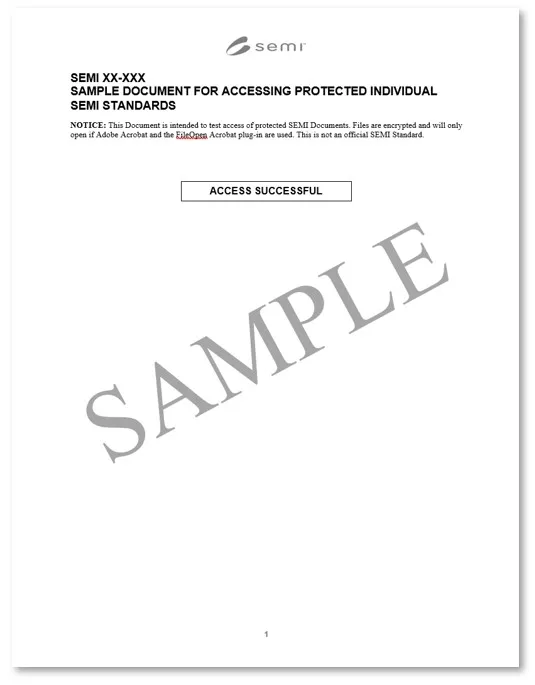
Users can check whether you have the FileOpen plug-in installed correctly. Click on the "View" and "Download" boxes below. If successful, you should be able to access the sample document below:


1. What is Digital Rights Management (DRM)?
Digital Rights Management (DRM) refers to technologies designed to protect the copyright of digital content. DRM enables content owners to control and safeguard access to standards, ensuring their secure distribution and use.
2. Why is DRM being implemented now?
Standards Developing Organizations (SDOs) such as SEMI, operate on a self-sustaining model, with the sale of standards serving as a primary source of funding. Copyright protection and content management are essential for the continued development, distribution, and maintenance of high-quality standards.
3. Balancing User Needs with Protection Measures
SEMI is committed to implementing DRM technologies that are both user-friendly and effective. The goal is to strike a balance between protecting intellectual property rights and ensuring accessibility for customers who rely on these standards.
4. Ensuring Integrity and Authenticity
- DRM safeguards the integrity and authenticity of electronic standards distributed over the internet. While digital formats provide convenience, they also pose risks such as counterfeiting. DRM helps establish rights and permissions, assuring users that they have purchased legitimate versions.
- By implementing DRM, SEMI facilitates the trusted exchange of copyrighted electronic works among rights holders, intermediaries, and users, fostering a secure and reliable standards ecosystem.
5. What types of controls can users expect?
SEMI develops PDF version(s) of its Standards for a single-user license for download to a device or viewing in a browser. If downloaded to a device, the licensed user may view the Standard unlimited times. Additionally, the licensed user is permitted to make one hardcopy printed copy and one local electronic backup for recovery purposes. The electronic backup function is designed to restore access in case of accidental deletion, hardware failure, or other losses. However, the backup version can only be accessed using the original device.
If a licensed user opts to view the document in a PDF-enabled browser, they will be allowed to view the document from up to three different browsers on one or more devices.
These terms and conditions are outlined in the software license agreement included with every electronic standard download. To enforce compliance, standards developers incorporate software that locks the electronic standard to the registered computer, preventing unauthorized distribution.
6. What DRM controls are likely to be applied?
Our DRM protection policy is fluid and will evolve to balance the needs of customers with protecting SEMI’s copyrights. As such, the DRM options that SEMI may implement include, but will not be limited to watermarking, printing restrictions, copy & paste restrictions, and access control.
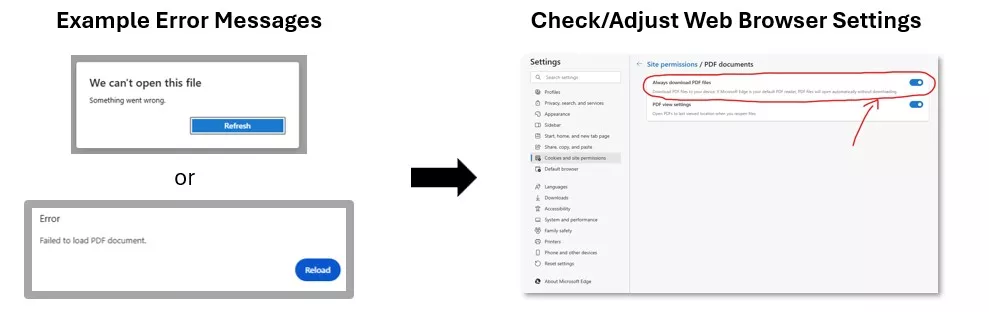
7. While attempting to download a file from the Download Portal, what if I receive an error message indicating I cannot open the file?
Depending on the web browser setting, clicking on Download file may open a new browser tab. Doing so will result in an error message.
The file must first be downloaded onto the device. Check browser settings to allow saving as PDF.
8. What if I receive a message indicating I have exceeded DRM limits?
If a user exceeds the DRM protection limits set by SEMI, a message will appear specifying the violated policy. If applicable, the user will be provided with a link to purchase additional copies of the Standard.